Examples were run on September 25, 2026 against Brandmov's live search_ads tool, US delivery, active ads only. Network behaviour is from running our own Ad Library lookups since April 2026.
The job sounds small. Your agent needs a function: pass in a brand or a keyword and a country, get back that advertiser's live Meta ads as structured data. Copy, format, creative files, landing page, start date. Everything else, the grouping, the pattern-spotting, the brief, the model can do.
The data is public. Anyone can read it in the Meta Ad Library. The function still doesn't exist in any form an agent can call, and the two obvious ways of building it both fall short.
Why the official Ad Library API is not enough
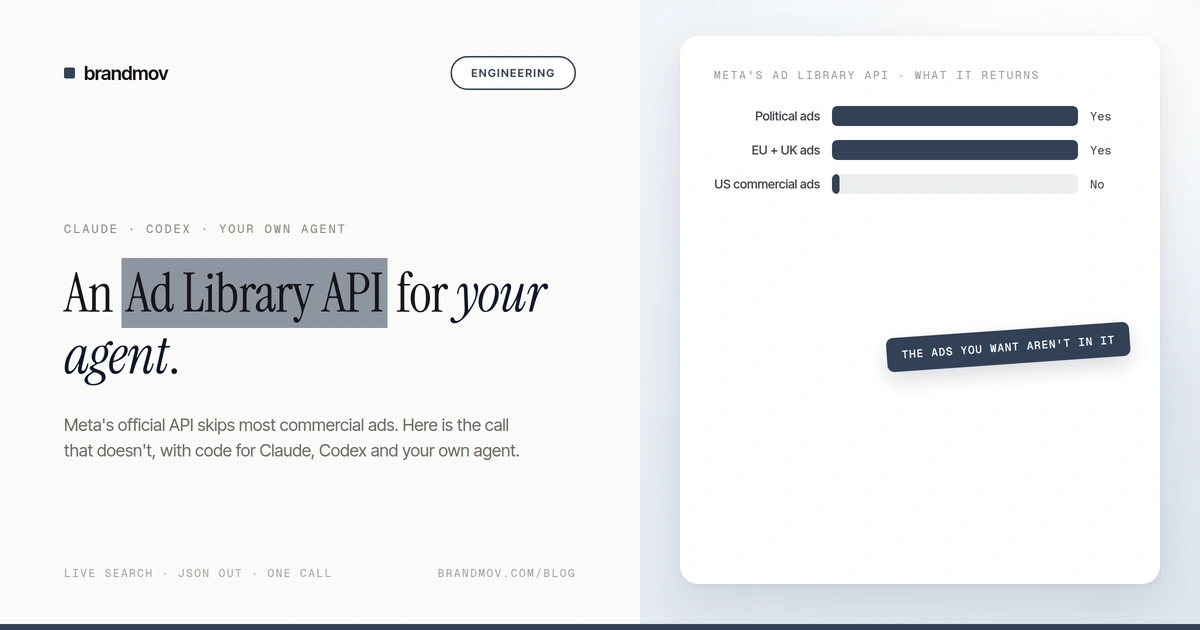
Meta does publish an Ad Library API, and it is the right tool for a narrow job. It returns ads about social issues, elections and politics in every country, plus ads delivered to people in the EU and UK, where transparency rules require it. Getting access means an identity check and a registered developer app.
What it does not return is what most marketers want: an ordinary commercial ad, from a US or Indian or Australian brand, shown to people outside the EU. Those ads are visible on the Ad Library website. They are not in the API.
Why fetching the library yourself is a project
The next idea is to fetch the public library directly. That is where the time goes, and almost none of it is parsing.
Your code runs in a data centre, and Meta treats that as suspect. From a data-centre server, our own lookups came back with the ads stripped out: no error, no block, just zero results. Your function returns an empty list and your agent reports that the brand isn't advertising.
The fix, a residential proxy, needs looking after. You pay per gigabyte, rotate addresses and match the proxy's country to the market. When ours had its credentials lapse, every lookup came back empty instead of failing, which looked exactly like "no ads".
The response isn't one format. The first batch of results arrives with the page and every later batch arrives over a separate call, in a different shape, and both change without notice. Even with a clean connection, the same query has returned zero ads and then four a minute later.
Every one of those failures is silent. The function doesn't throw; it returns fewer ads, or none, and the agent trusts it. The MCP post goes deeper on why that is the real problem.
| Route | Ordinary commercial ads | Setup | Who keeps it working |
|---|---|---|---|
| Official Ad Library API | Only if shown in the EU or UK | Identity check + Meta app | Meta |
| Fetch it yourself | Yes, when the network cooperates | Proxies, parsers, monitoring | You, every time something changes |
| Hosted MCP tool | Yes | One URL + a key | The host |
The route we built: one MCP tool
Brandmov runs an MCP server at https://api.brandmov.com/mcp. MCP (Model Context Protocol) is the standard way agents discover and call outside tools, and Claude, Codex, Cursor and most agent frameworks speak it. The tool that matters here is search_ads: a live search of the public Ad Library, returned as JSON. The network side is ours to deal with.
It takes either a keyword or a Facebook page URL, plus a country, an active/inactive filter, a media type, a platform list and a limit up to 100. Because a live search takes a few seconds, it works in two steps. The first call queues the search and returns a job_id. The agent calls again with that id until the status is done.
// 1. Submit
search_ads(search_page_url="https://www.facebook.com/<page>",
           ad_reached_countries=["US"], limit=25)
-> {"status": "queued", "job_id": "3f1c...", "poll_after_seconds": 15}

// 2. Poll until done
search_ads(job_id="3f1c...")
-> {"status": "done", "total": 25, "complete": false, "ads": [ ... ]}You do not write that loop. Claude and Codex read the tool's description, see poll_after_seconds, and poll on their own. It is shown here so you know what the agent is doing while it waits.
Calling it from the Claude API
If you are writing your own agent on the Anthropic API, the MCP connector lets Claude call a remote MCP server directly, with no client code for the tool calls. You pass the server once in mcp_servers and switch it on with an mcp_toolset entry in tools. Both halves are required.
import anthropic

client = anthropic.Anthropic()

response = client.beta.messages.create(
    model="claude-opus-5",
    max_tokens=4096,
    betas=["mcp-client-2025-11-20"],
    mcp_servers=[{
        "type": "url",
        "url": "https://api.brandmov.com/mcp",
        "name": "brandmov",
        "authorization_token": "bm_live_...",
    }],
    tools=[{"type": "mcp_toolset", "mcp_server_name": "brandmov"}],
    messages=[{
        "role": "user",
        "content": "Pull [brand]'s active US Meta ads and group them by offer.",
    }],
)
print(response.content[-1].text)Calling it from Codex
Codex reads MCP servers from ~/.codex/config.toml. Keep the key in an environment variable rather than in the file.
[mcp_servers.brandmov]
url = "https://api.brandmov.com/mcp"
bearer_token_env_var = "BRANDMOV_API_KEY"Claude Code, Claude Desktop, claude.ai and Cursor each have their own setup. They are all in the MCP setup guide. Any other client that speaks streamable HTTP only needs the URL and an Authorization: Bearer header.
What comes back
Each ad is a flat object. The fields worth knowing about:
| Field | What it holds |
|---|---|
| brand, pageId | Advertiser name and Facebook page id |
| body, title, ctaText | Primary text, headline and button label |
| ctaLink | Full landing page URL, UTM parameters included |
| mediaType, mediaUrl, videoUrl, cards[] | Format and creative files; carousels list every card |
| startDate, endDate, status | Meta's own run dates |
| platforms | Facebook, Instagram, Messenger, Audience Network |
| impressions, spend | Ranges, only where Meta publishes them (EU and political ads) |
| adLibraryUrl | Link back to the ad on Meta's site |
What it will not give you. Spend, CPM, ROAS or click-through rate for an ordinary ad. Meta does not publish them, so they are not in the result. Tools that show those numbers for a US brand's ads are estimating. The one performance signal that is real is run time: an advertiser does not keep paying for an ad for 100 days if it is losing money, and startDate gives you that on every ad.
Read complete before you count anything
Every result carries a complete flag. complete: false means the search stopped at your limit, so the ads you got are some of the advertiser's ads, not all of them. A good agent reads that flag and either raises the limit, narrows the search, or says so. A function that hides it lets the agent tell you a brand "runs 25 ads" when 25 was just the number you asked for.
Keyword or page?
The Ad Library's keyword search matches any ad that mentions the phrase anywhere. When we searched "olive oil" in the US, the first ten ads came from a grocery delivery app, a snack brand, a meal kit, a beard care brand and a recipe app before the first company that actually sells olive oil. A keyword query is a survey of a category. To see one advertiser, pass search_page_url with their Facebook page and every ad that comes back is theirs.
The landing pages are in the data too
Because ctaLink keeps the full URL, the agent can read an advertiser's tracking conventions. In that same keyword run, a meal-kit advertiser's links carried utm_source=meta&utm_medium=cpm and a campaign name that encoded the offer and the audience in one string. A snack brand's links still had unfilled {{campaign.name}} macros in them.
None of this is secret. It is all in the public Ad Library. The difference is that an agent can read 100 of these in one call and tell you the pattern, which nobody does by hand.
Limits, stated plainly
| Limit | Detail |
|---|---|
| One country per search | The first country code is used; run one search per market |
| 100 ads per search | Check complete before counting anything |
| Keyword matching is loose | Scope by page URL when you know the brand |
| Live search takes time | Usually 5 to 30 seconds; a job that stays queued for minutes should be retried later |
| Repeat queries are cached | A recent identical search returns instantly with from_cache: true |
| No spend for most ads | Meta only publishes it for EU and political ads |
Is there a REST endpoint?
Not for ad search. We built this for agents first, and MCP is the surface. If you are writing plain code with no model in the loop, the cleanest path today is to call the MCP server with an MCP client library, which is a few lines in Python or TypeScript and gives you the same JSON.
Next: the MCP quickstart gets a client connected, and the tool reference lists every parameter. For a full teardown workflow built on this call, see competitor teardown.